How I Built a Personal Lifelog System That Captures Everything I Do (And Turns It Into Content)


9 min read
The complete lifelog system: Claude Code + Limitless + Pieces
I type /lifelog yesterday. Claude Code queries my audio recordings, my code activity, my browser history. Minutes later, I have a 450-line timeline of everything I did—plus 40+ content ideas extracted from my day.
That's the system I built. And it's changed how I work.
The Problem: "What Did I Actually Do Yesterday?"
Ever finish a week and wonder where the time went? Ever have a brilliant conversation and forget the key insight by dinner? Ever debug a production issue and lose the lesson because you didn't document it?
I was tired of losing knowledge. Tired of forgetting what I learned. Tired of having great conversations that vanished into the ether.
So I built a system that captures everything:
Every conversation (audio transcripts from my Limitless Pendant)
Every line of code (tracked by Pieces)
Every website visited, every commit made, every meeting attended
Every lesson learned—automatically extracted and turned into content ideas
The result: I now generate 40+ content ideas per day, extracted directly from my lived experience. I never lose an insight. And when something goes wrong (like the $18,325 credit bug I woke up to last week), I have the full context to learn from it.
The Stack: What Makes This Possible
Pieces - Long-term memory for developers
Here's the core stack:
| Tool | Layer | What It Captures |
| Claude Code | Intelligence | Orchestrates everything, synthesizes data, generates insights |
| Limitless Pendant | Audio Conversations 24/7 | Conversations, meetings, voice notes, ambient context |
| Pieces LTM | Digital Activity in Laptop | Code, files, terminal commands, browser history, messages |
| Hashnode | Publishing | Where articles get published |
| GitHub | Asset Hosting | Images for articles |
Why These Specific Tools?
Limitless captures the analog layer—everything I say and hear. Meetings with clients, breakfast conversations with friends, phone calls, even podcast discussions I have out loud.
Limitless - AI-powered memory for your conversations
Pieces captures the digital layer—every file I modify, every terminal command I run, every website I visit, every conversation i had in slack or whatsapp, every code snippet I copy. It's long-term memory for my development work.
Claude Code is the intelligence layer—it takes raw data from both sources and synthesizes it into something useful: a detailed timeline, extracted insights, and content ideas across four platforms.
The /lifelog Skill: Deep Dive
The heart of the system is a custom Claude Code skill called /lifelog. Here's how it works:
Phase 1: Deep Activity Archaeology
First, Claude Code queries Limitless for all audio recordings:
# Get all recordings for the day
limitless_list_lifelogs_by_date(
    date="2026-01-23",
    limit=10,
    includeMarkdown=true
)

# Detect meetings automatically
limitless_detect_meetings(time_expression="yesterday")

# Extract action items from conversations
limitless_extract_action_items(time_expression="yesterday")

# Get raw transcripts for important moments
limitless_get_raw_transcript(
    time_expression="yesterday",
    format="structured"
)
Then it queries Pieces LTM for development activity:
ask_pieces_ltm(
    question="What did I work on yesterday? Include every file, commit, and command.",
    chat_llm="claude-opus-4-5",  # REQUIRED - the model responding
    connected_client="Claude",   # REQUIRED - identifies the client
    topics=["coding", "development", "work"],
    application_sources=["Code", "Warp", "Google Chrome"]
)
Critical detail: The Pieces MCP requires chat_llm and connected_client parameters. Without them, queries timeout. I learned this the hard way after 15+ zombie processes accumulated and crashed my system. More on that later.
Phase 2: Timeline Generation
Claude Code synthesizes all the data into a structured markdown timeline at lifelog/YYYY-MM-DD_activity_timeline.md.
The structure includes:
Executive Summary - Day type, key wins, blockers
Hour-by-Hour Timeline - Every activity with timestamps, duration, context
Development Activity - Commits, files modified, commands run, errors encountered
Content Consumed - Videos watched, articles read, podcasts
Conversations & Meetings - Full details with participants, topics, quotes
Lessons & Insights - Technical and personal takeaways
Day Statistics - Metrics like coding hours, meeting time, commits made
Here's what a single activity entry looks like:
#### 9:47 AM - 11:09 AM: Breakfast Meeting with Rashid
**Type:** Meeting - Business/Personal
**Duration:** 81 minutes
**Location:** Restaurant (Tacos de Oro)
**Participants:** Rashid Azarang, Mafer De La Garza

**Business Topics:**
- Timeshare property system project (52 weekly packages)
- Claude Code capabilities and $16 USD pricing
- Revenue goal: "Para agosto necesito estar generando 3,000,000 pesos al mes"

**Personal Discussion:**
- Emotional triggers in business relationships
- Rashid: "A mí lo que me duele es sentirme que no soy suficiente"
- Me: "A mí me lastima que me quieran apagar"

**Key Insight:**
> "Es bien importante tener a los equipos separados ahora. Tu IP no se lo puedes dar a la gente."
Phase 3: Content Ideas Generation
Finally, Claude Code extracts insights and generates 40+ content ideas across four platforms:
Insights (12+ per day):
Philosophy & AI Reflections
Lessons from the Trenches (technical)
World Trends + My Perspective
Content Ideas (40+ pieces):
Twitter/X - Hot takes, threads, quick tips
Articles - Deep dives, tutorials, case studies
Instagram Reels - BTS, demos, reactions
LinkedIn - Professional insights, founder stories
Every idea is derived from something that actually happened that day. Not generic content prompts—real experiences turned into shareable insights.
The MCP Stack Explained
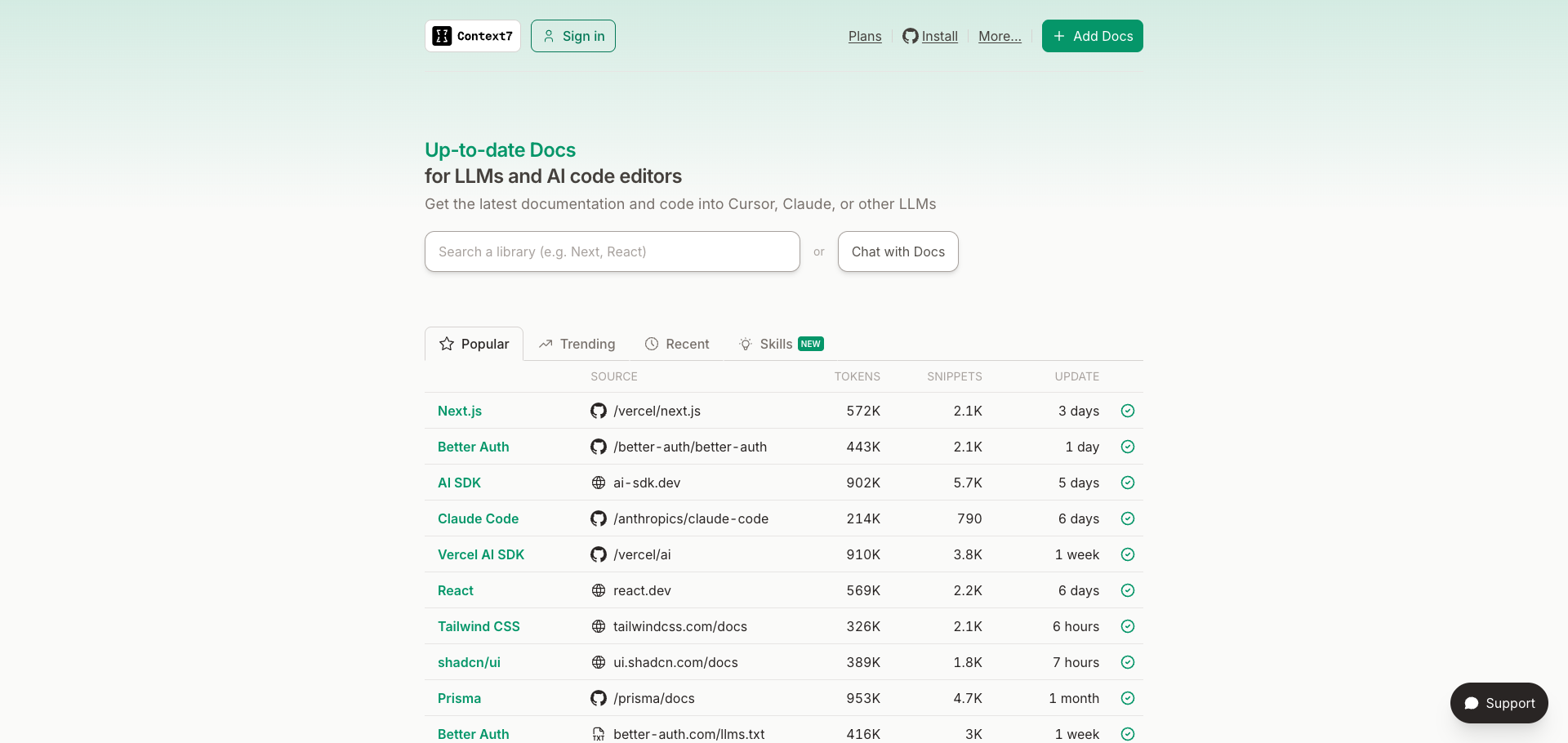
Context7 - Up-to-date documentation for any library
The system relies on several Model Context Protocol (MCP) servers. Here's what each one does:
1. Limitless MCP
Purpose: Access to all audio recordings and transcripts from my Limitless Pendant.
Key functions:
limitless_list_lifelogs_by_date()- Get recordings for a specific daylimitless_detect_meetings()- Automatically identify conversationslimitless_extract_action_items()- Pull tasks and commitmentslimitless_get_raw_transcript()- Full transcript textlimitless_get_detailed_analysis()- AI-synthesized summaries
What it captures: Every conversation I have, meetings (in-person and virtual), phone calls, even discussions while walking the dog.
2. Pieces MCP
Purpose: Long-term memory for all digital activity.
Key functions:
ask_pieces_ltm()- Query activity history with natural language
Critical parameters:
ask_pieces_ltm(
    question="Your question here",
    chat_llm="claude-opus-4-5",      # REQUIRED
    connected_client="Claude",        # REQUIRED
    topics=["relevant", "topics"],    # Improves relevance
    application_sources=["Code", "Chrome", "Warp"]  # Filter by app
)
What it captures: Files modified, git commits, terminal commands, browser history, messages, notes, design work.
The Zombie Process Problem: Pieces MCP uses stdio mode, which spawns a new process per connection. Without cleanup, you get 15+ zombie processes that cause timeout errors. I fixed this with a wrapper script:
#!/bin/bash
# /opt/homebrew/bin/pieces-mcp-wrapper
pkill -f "pieces.*mcp.*start" 2>/dev/null
sleep 0.2
exec /opt/homebrew/bin/pieces --ignore-onboarding mcp start
3. Chrome DevTools MCP
Purpose: Automated screenshot capture for articles.
Key functions:
navigate_page()- Go to a URLtake_screenshot()- Capture the current pagewait_for()- Wait for content to load
How I use it: When writing articles, Claude Code automatically captures screenshots of websites, documentation pages, and tools I'm writing about.
4. Context7 MCP
Purpose: Up-to-date documentation lookup for any library.
How I use it: When writing technical content, Claude Code queries Context7 for accurate API references instead of hallucinating outdated information.
5. Perplexity MCP
Purpose: Real-time web research and fact-checking.
How I use it: For statistics, current trends, and verifying claims before publishing.
Real Example: January 23, 2026
Let me show you what this looks like in practice. Here's my actual lifelog from January 23:
Day Type: Crisis Response → Skill Building
Key Events:
7:30 AM - Woke up to 18,325 credits missing (billing crisis)
8:30 AM - Diagnosed infinite loop in campaign executor
9:47 AM - 81-minute breakfast with Rashid (business + personal)
11:00 AM - Fixed the bug, commit
bfd978212:30 PM - Built the
/lifelogskill4:00 PM - Fixed Pieces MCP zombie process issue
Some Insights Extracted:
"Check-then-deduct is an anti-pattern" (from the credit bug)
"stdio MCPs need cleanup wrappers" (from Pieces issue)
Content Ideas Generated: 41 pieces across Twitter, Articles, Reels, and LinkedIn.
The system captured everything—from the 6 AM panic checking my phone to the specific ffmpeg commands I ran to process video clips. Nothing was lost.
The Article Publishing Workflow
The lifelog doesn't just archive—it feeds my content creation pipeline.
How /lifelog Connects to /article
Daily lifelog generates insights and content ideas
I pick an idea from the generated list
Run
/articlewhich uses:Pieces MCP for codebase context
Perplexity MCP for research
Context7 MCP for documentation
Chrome DevTools MCP for screenshots
Images get pushed to my
lifelog-assetsGitHub repoArticle gets published to Hashnode via API
Screenshot Automation
Claude Code can automatically capture screenshots while writing:
# Navigate to the page
mcp__chrome_devtools__navigate_page(url="https://pieces.app")

# Wait for content to load
mcp__chrome_devtools__wait_for(text="Long-term memory")

# Capture screenshot
mcp__chrome_devtools__take_screenshot(
    filePath="images/pieces-homepage.png"
)
GitHub Image Hosting
All images go to a dedicated repo and are referenced with raw URLs:
https://raw.githubusercontent.com/hectorarriolai/lifelog-assets/main/Content/Articles/YYYY-MM-DD_slug/images/filename.png
This ensures images load correctly on Hashnode without hosting costs.
Setting Up Your Own System
Want to build this yourself? Here's the quick start:
1. Install Claude Code
# Follow instructions at claude.ai/code
2. Set Up Limitless
Get a Limitless Pendant from limitless.ai
Install the Limitless MCP server
Add to your
~/.claude.json:
{
  "mcpServers": {
    "limitless": {
      "type": "stdio",
      "command": "npx",
      "args": ["199bio-mcp-limitless-server"],
      "env": {
        "LIMITLESS_API_KEY": "your-api-key"
      }
    }
  }
}
3. Set Up Pieces
Download Pieces from pieces.app
Create the wrapper script (to prevent zombie processes):
#!/bin/bash
# Save as /opt/homebrew/bin/pieces-mcp-wrapper
pkill -f "pieces.*mcp.*start" 2>/dev/null
sleep 0.2
exec /opt/homebrew/bin/pieces --ignore-onboarding mcp start
Make it executable:
chmod +x /opt/homebrew/bin/pieces-mcp-wrapperAdd to
~/.claude.json:
{
  "mcpServers": {
    "pieces": {
      "type": "stdio",
      "command": "/opt/homebrew/bin/pieces-mcp-wrapper"
    }
  }
}
4. Create the /lifelog Skill
Create
.claude/commands/lifelog.mdin your projectDefine the three phases: query, timeline, content ideas
Customize the output format to your needs
5. (Optional) Configure Hashnode
Get your API token from Hashnode settings
Store in
.env:
HASHNODE_TOKEN=your-token
HASHNODE_PUBLICATION_ID=your-pub-id
Lessons Learned
The Pieces Zombie Process Issue
The single most frustrating bug: Pieces MCP kept timing out with AbortError. The cause? 15+ zombie processes accumulating because stdio MCPs spawn a new process per connection without cleanup. The wrapper script fixed it completely.
Natural Language Dates Work Better
"Yesterday" and "January 22" work better than "2026-01-22" when querying Pieces. The natural language parser is more reliable.
Exhaustive Logging is Worth It
My first instinct was to filter and summarize. Wrong. The value is in the details. Specific quotes, exact timestamps, precise file paths—these are what make the logs useful months later.
Privacy Considerations
This system captures everything. I keep sensitive data local (the timeline and insight files never get pushed to GitHub). Only images and published articles go public. Tenant IDs and API keys get anonymized before any content is published.
Conclusion
The lifelog system has fundamentally changed how I work:
No more lost insights - Every conversation, every lesson, every "aha moment" is captured
Content creation on autopilot - 40+ ideas per day, directly from lived experience
Learning from mistakes - Every bug now can become an article, not just a bad memory
Compound knowledge - Each day builds on the last
The tools exist. Limitless captures audio. Pieces tracks digital activity. Claude Code synthesizes it all. The only question is: what will you build with comprehensive self-knowledge?
I'm Héctor Arriola. I build Nutalk (24/7 AI voice agents) and experiment with AI-powered productivity systems. This article was generated using the exact workflow described above—from lifelog to published post.
Want the actual /lifelog skill file? DM me on X at Héctor Arriola .