The Future of Video Production: How I Built 5 Professional Videos Without a Video Editor


8 min read

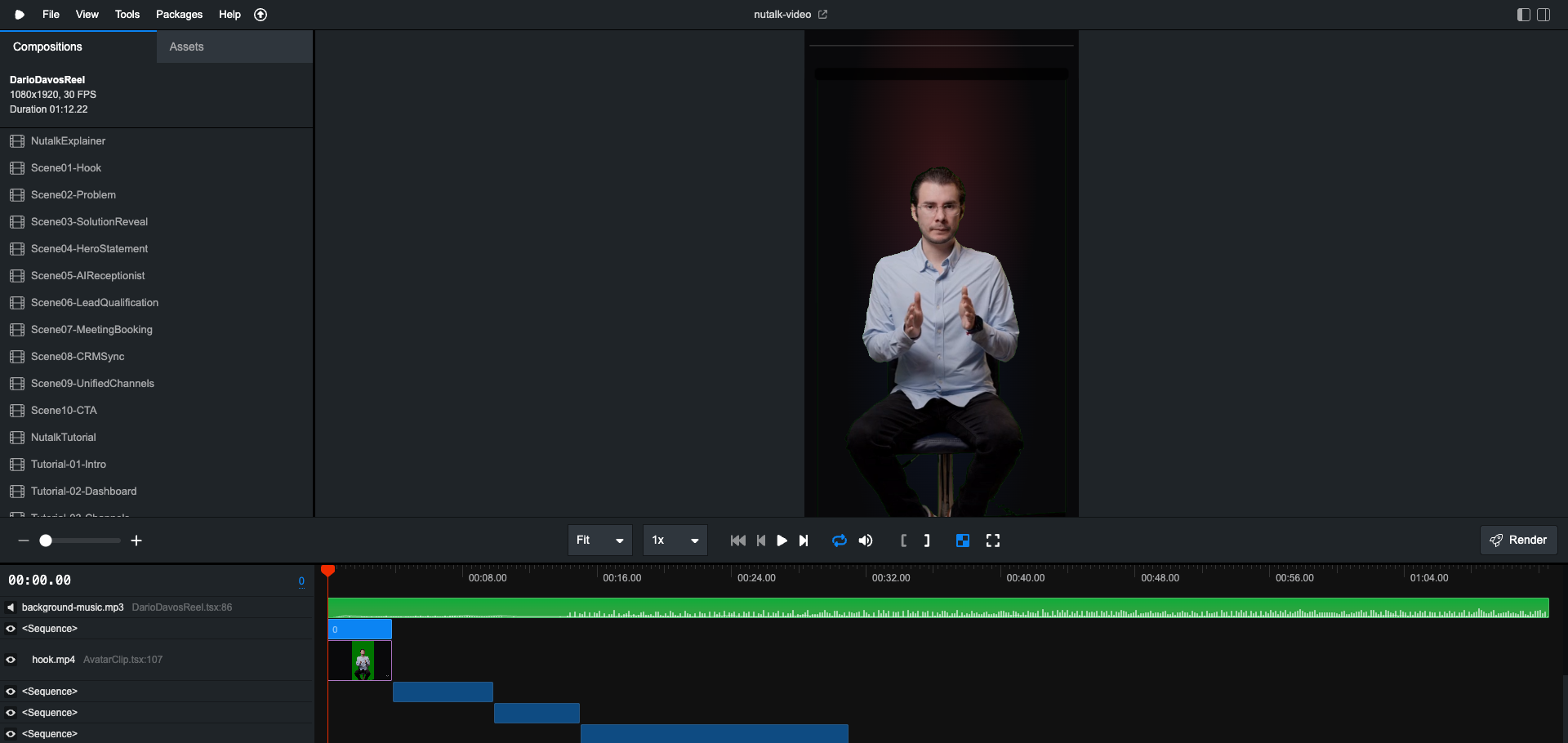
Remotion Studio - Editing a viral Instagram reel with React components
I typed a prompt. Claude Code wrote React components. I ran npx remotion render. A video appeared.
That's it. That's the workflow.
Is this the future? Maybe. Are the videos perfect? No. But what I experienced over the past few days feels like a glimpse of something revolutionary.
The Insane Part
Here's what blows my mind: I made videos by describing what I wanted.
Not by dragging clips around a timeline. Not by manually setting keyframes. Not by learning After Effects shortcuts.
I opened Claude Code and wrote:
"Create a video like a really nice video using Remotion about Nutalk. You can access the project in dev/nutalk and see the landing page and what it's about. Check the styles and please create an amazing script, amazing animations and motion like an explainer video of Nutalk. Ultrathink."
That was the actual prompt. Verbatim.
Claude Code then:
Read my Nutalk codebase to understand the product and css
Wrote a complete video script
Created dozens of React components for animations
Built a scene structure with proper timing
Added motion graphics, transitions, and effects
I ran npx remotion studio, saw the video in the browser, and rendered it.
30 minutes from prompt to MP4.
A Reality Check
Let me be honest: these videos aren't perfect.
The animations sometimes feel generic. The timing occasionally needs manual tweaking. Some effects look like they were made by someone who described what they wanted rather than a professional motion designer.
Because they were.
But here's the thing: they're good enough. Good enough for a product demo. Good enough for social media. Good enough that I'd have spent 2-3 days creating something similar in Premiere Pro.
This is the early stage. The videos will get better. The AI will get smarter. The workflow will get smoother.
What I'm showing you isn't the finished future. It's the starting line.
What is Remotion?
Before I dive into the workflow, you need to understand Remotion.
Remotion is an open-source React library that treats videos as functions of frames over time. You write React components. You get a frame number. You render whatever you want for that frame.
npx create-video@latest
That's all it takes to start.
Remotion.dev - The React framework for creating videos programmatically
Why does this matter for AI? Because videos become code. And AI is getting really good at writing code.
The 5 Videos I Made
Over a few late-night sessions, I created 5 distinct video compositions:
| Video | Duration | Format | What It Is |
| DarioDavosReel | 55 sec | 9:16 Vertical | Viral Instagram reel about Dario Amodei's Davos interview |
| NutalkTutorial | 2:30 min | 16:9 | Product walkthrough with my HeyGen avatar |
| NutalkExplainer | 75 sec | 16:9 | Animated product explainer |
| ClaudeCodeLegal-Module1 | 5 min | 16:9 | Course intro for legal professionals |
| ClaudeCodeLegal-Module2 | 4 min | 16:9 | Installation & setup guide |
Each one was built through conversation with Claude Code. Let me walk you through the most complex one.
Deep Dive: The Dario Davos Viral Reel
This 55-second vertical video was the most involved. Here's exactly how it happened:
Step 1: Research with Perplexity MCP
I started by asking about the news. Using Claude Code's Perplexity MCP integration, I researched Dario Amodei's Davos interview:
"What did Dario Amodei say at Davos about AI and jobs? Find the most viral clips."
Perplexity returned the key quotes—the "programmers won't need to write code" moment, the "country of geniuses" analogy, the predictions about job displacement.
Step 2: Finding and Clipping the Videos
Claude Code helped me find and download the original interview footage from Bloomberg and WSJ. The source files ended up at:
bloomberg-dario-davos.mp4(83 MB, full interview)wsj-dario-davos.mp4(78 MB, full interview)
With VTT transcript files for each.
Then came the clipping. Claude Code wrote ffmpeg commands to extract the specific moments I wanted, crop them to vertical format, and prepare them for compositing:
# Example: Crop to vertical and extract 10-second segment
ffmpeg -i bloomberg-dario-davos.mp4 -ss 00:02:15 -t 10 \
  -vf "crop=ih*9/16:ih,scale=1080:1920" \
  -c:v libx264 -c:a aac clip-country-of-geniuses.mp4
Step 3: Generating My Avatar Reactions
For the "reaction" segments where I comment on Dario's clips, I used my custom HeyGen avatar with my ElevenLabs voice clone.
Claude Code wrote generate-dario-reel-avatar.ts:
const AVATAR_SEGMENTS = {
  hook: {
    name: 'hook',
    script: "The CEO of Anthropic just said THIS about your job...",
    emotion: 'serious',
  },
  react1: {
    name: 'react1',
    script: "Wait... Anthropic's OWN engineers don't code anymore?! And it gets worse...",
    emotion: 'shocked',
  },
  bridge: {
    name: 'bridge',
    script: "But here's the part that TERRIFIED me...",
    emotion: 'concerned',
  },
  // ... more segments
};
I ran the script. HeyGen generated 5 avatar clips in about 10 minutes.
Step 4: Green Screen Processing
The HeyGen clips came with green backgrounds. Claude Code wrote a shell script to remove them using ffmpeg's colorkey filter:
ffmpeg -y -i "$input" \
  -vf "crop=540:720:370:0,scale=1080:1440,colorkey=0x00ff00:0.4:0.1,despill=green,format=yuva444p" \
  -c:v prores_ks -profile:v 4444 -pix_fmt yuva444p10le \
  "$OUTPUT_DIR/${name}.mov"
This created ProRes 4444 files with alpha channels—ready for compositing in Remotion.
Step 5: Assembling in Remotion
Finally, Claude Code built the React composition that brings everything together:
// Viral effect components
import { ViralSubtitle } from './components/ViralSubtitle';
import { EmojiReaction } from './components/EmojiReaction';
import { GlitchTransition } from './components/GlitchTransition';
import { ScreenShake } from './components/ScreenShake';
import { KeywordZoom } from './components/KeywordZoom';
import { AlertBanner } from './components/AlertBanner';
import { EmojiExplosion } from './components/EmojiExplosion';
Every 2-3 seconds, a "pattern interrupt" component fires:
{/* Alert banner at the start */}
<AlertBanner text="ANTHROPIC CEO SPEAKS" triggerFrame={10} duration={50} color="red" />

{/* Keyword zoom when he says the key phrase */}
<KeywordZoom keyword="NO CODE" triggerFrame={130} color="red" position="center" />

{/* Emoji explosion for emphasis */}
<EmojiExplosion emojis={['🤯', '😱', '🔥']} triggerFrame={180} count={15} />
Step 6: Render
npx remotion render DarioDavosReel --codec=h264
Result: A 38 MB viral-format Instagram reel, built entirely through prompts.
The final reel in Remotion Studio
The Other Videos: Same Pattern, Different Content
NutalkTutorial (2:30 min)
For my product tutorial, the prompt was simpler:
"Create a product tutorial video for Nutalk. Show the dashboard, the channel setup wizard, and the settings page. Use my HeyGen avatar for intro, bridge, and outro segments."
Claude Code created 10 scenes alternating between avatar footage and animated UI mockups. It even built a mathematically perfect crossfade transition using sine²/cos² curves to ensure combined opacity never exceeds 1.0.
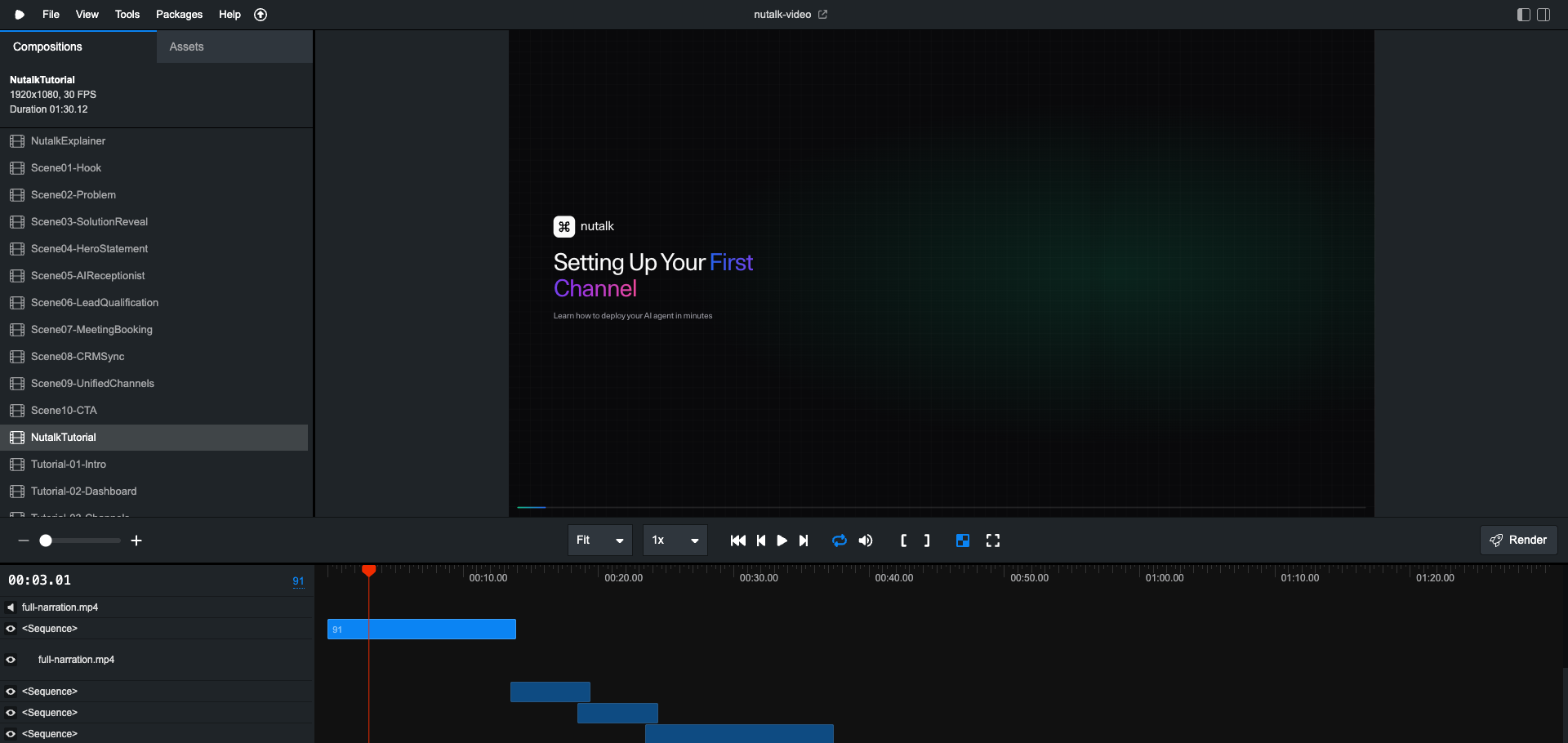
The tutorial video with animated UI mockups
Legal Course Modules (5 + 4 min)
For the educational content, I used ElevenLabs voiceover instead of HeyGen video (cheaper for long-form content):
"Create Module 1 of a course teaching legal professionals how to use Claude Code. Cover: honest expectations, why traditional legal tech fails, the AI advantage, course roadmap, what they'll build, ROI, target audience, prerequisites, and a CTA."
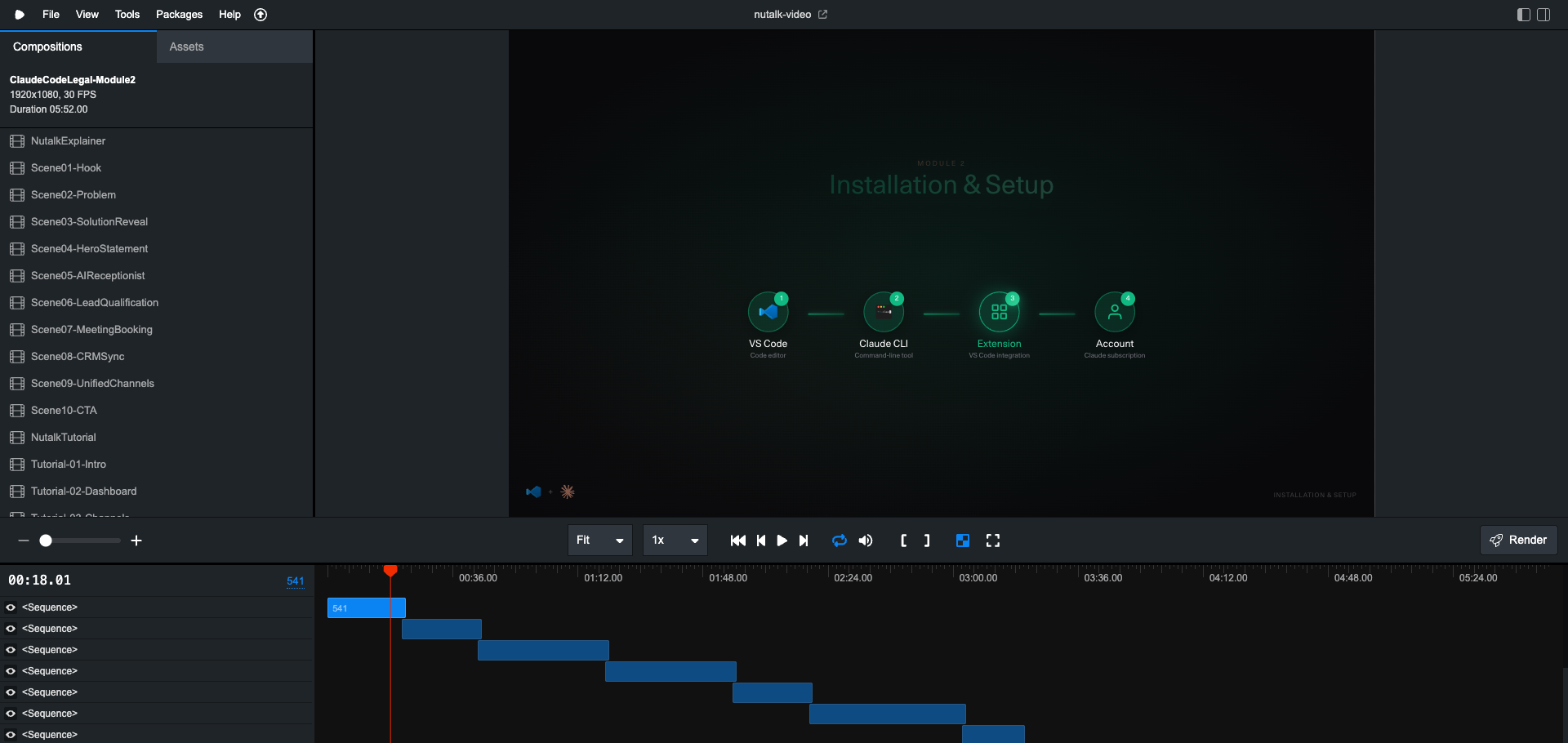
Claude Code wrote the script, generated the voiceover via ElevenLabs API, built 9 animated scenes with MacOS mockups, terminal animations, and browser simulations.
Module 1: Course Introduction
The Real Workflow
Let me be explicit about what's actually happening:
I describe what I want in natural language
Claude Code queries documentation using Context7 MCP (Remotion APIs, HeyGen endpoints, ElevenLabs parameters)
Claude Code writes code - React components, TypeScript scripts, shell commands
I run commands - generate avatar clips, process video, render final output
I iterate - adjust timing, tweak scripts, re-render
The AI doesn't magically produce a video. It produces code that produces a video. The distinction matters.
I'm still in the loop. I still make creative decisions. But the implementation is automated.
What This Means
Traditional video editing: 2-3 days per video, manual work that doesn't scale.
This workflow: 30 minutes to a few hours, entirely code-based, infinitely reproducible.
Want to change the script? Update the config and re-render. Want a different language? Swap the voiceover and re-render. Want 100 variations? Write a loop.
The videos aren't as polished as what a professional editor would create. But they're 80% as good in 5% of the time.
That's the trade-off. And for most use cases? It's worth it.
Try It Yourself
Install Remotion:
npx create-video@latestOpen Claude Code in your project
Describe the video you want
Let Claude Code write the React components
Generate any avatar/voiceover content with HeyGen or ElevenLabs
Run
npx remotion renderIterate until you're happy
The future of video production isn't better editing software. It's describing what you want and letting AI figure out the implementation.
We're not there yet. But we're closer than most people think.
I'm Héctor Arriola. I build Nutalk (24/7 AI voice agents) and experiment with AI-powered content creation. Everything in this article was built through conversation with Claude Code—including this workflow that I'm still figuring out.
The videos aren't perfect. The process isn't seamless. But something fundamental is shifting. And I wanted to document it while it's still early.
Tags: #Remotion #ClaudeCode #AI #VideoProduction #ReactJS #HeyGen #ElevenLabs #AIAvatar #ContentCreation #AITools